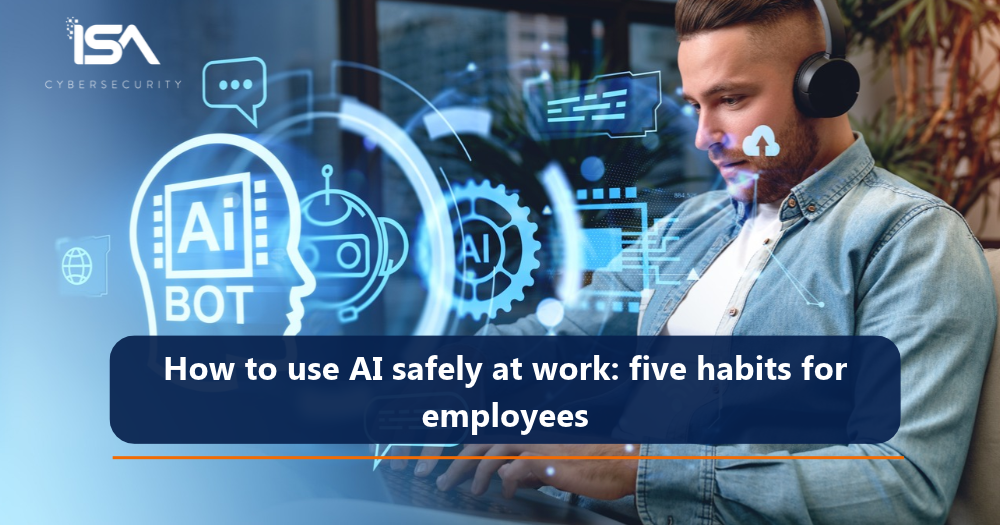
Almost half (48%) of Canadian employees say their employer has never given them guidance on using AI safely at work. That finding is one of several from a national Angus Reid survey that ISA Cybersecurity commissioned in October. More than 1,000 office workers shared how they use AI on the job, what they share with it, and what their employers expect of them.
In this article, we break down what the survey found, where the risks lie, and five habits that help employees use AI safely.
Survey Results
How are Canadian employees using AI at work?
Often, and more than they did a year ago. In the survey, 47% of respondents use AI tools such as ChatGPT, Claude, Copilot, and Gemini for work at least a few times a week, and a quarter (24%) use them every day. Among those who use AI at work, 71% said their use increased over the past year, and two in five respondents plan to rely on AI more heavily in 2027.
What are the risks when employees use AI at work?
There are two main ones.
- Employees can share sensitive information with AI tools their employer doesn’t manage.
- Employer-provided AI tools that aren’t well managed can inherit an employee’s access to more data and systems than a task needs.
The opportunity for these risks to be realized is significant, with 39% of respondents saying they use free or personal AI accounts at work. Security teams can’t protect data they can’t see: when an employee pastes confidential client information into a free AI tool, the company loses sight of where that data goes, who can access it, and how long it’s kept.
Are company-approved AI tools safe to use?
Approved tools reduce some risks and introduce others. The controls most organizations already have around email security and unapproved apps still work – they just matter even more now. The new risks come from the approved tools themselves. Many connect to email, files, and business systems, and they act with the permissions of the employee using them. If an employee can reach more data than their role requires, so can the AI assistant working on their behalf.
Employees have an important part to play, but accountability for managing AI risk sits with the organization. It decides which tools staff can use, what data each tool can handle, and who has access to which systems. The first step is a least-privilege approach that limits each employee to the data and systems they need to do their job. From there, secure operations depend on strong governance across workflows, usage monitoring, incident detection and response, and AI engineering.
Do employees know their company’s AI rules?
Half of respondents said their employer has a clear policy on how employees can use AI tools. The other half said their employer’s policy is unclear (18%), that there isn’t one (17%), or that they weren’t sure (15%).
AI policies and security controls help protect a company and its customers. But no single control catches every scam or every mistake, so it’s essential for employees to understand how their actions can affect the organization.

Five Habits for Employees
How can employees use AI safely at work?
Here are five habits for employees that work for whatever stage their employer’s AI training has reached.
- Confirm money, data, and access requests through a channel you already trust. More than a third of respondents (37%) received a suspicious AI-generated message at work this year, and 92% of them knew what to do next. Among those who faced a voice impersonation, 78% did. If a call, email, or message asks for money, data, or account access, contact the person through a number or channel you already have. Leaders and the staff who act for them can agree on a code word, and families can do the same. If “IT” calls asking for a one-time code, hang up and call the help desk at its published number.
- Check what an AI tool is cleared for before you share company data. Of the AI users surveyed, 16% said they had entered work information, such as internal documents, client data, or code, into an AI tool their employer did not provide. For daily users, it’s more than one in four (26%). Your employer’s AI policy should say which tools can handle which data: a tool approved for internal drafts may be off-limits for client information. Never share passwords with any AI tool. Enter only what the task needs, and ask when in doubt.
- Give AI assistants and agents only the access a task needs. Nearly a quarter of AI users (23%) have let an AI tool read their email or calendar, open files, send messages, or make purchases. Among daily users, that rises to 44%. Joint guidance from the Canadian Centre for Cyber Security and its Five Eyes partners advises against giving AI agents broad or unrestricted access, especially to sensitive data. Turn on only the permissions the task requires, and switch them off when you’re done.
- Check the original before acting on an AI summary. Summarizing is one of the most common ways people use AI at work. Attackers can hide instructions in an email, in text the reader never sees, that make an AI summary show a fake password warning with a phone number to call. Treat any alert, link, or number that appears only in a summary as unverified.
- Report quickly, even after a click. Seven in 10 respondents (70%) expect AI-enabled scams targeting their workplace to grow in the coming year. Anyone can fall for a well-crafted AI scam. A fast report limits the damage, and people report faster when they know an honest mistake won’t be held against them.

How can ISA Cybersecurity help?
ISA Cybersecurity’s security awareness services give organizations a practical way to close the training gap, so employees build habits that hold up against AI-enabled scams and keep company data safe. And our suite of AI 360 services helps organizations adopt AI securely, from strategy and governance to engineering, monitoring, and response. For advice on where your organization’s AI use stands and where to start, contact our team.
Watch for the complete survey report, with more findings and expert insights, in early 2027.